
Download TotalAV Essential Antivirus – affordable real‑time protection, easy setup
Overview – Why TotalAV Essential Antivirus Stands Out for Everyday Users
TotalAV Essential Antivirus positions itself as the go‑to security solution for people who want solid, budget‑friendly protection without the clutter of enterprise‑grade features. Built around a straightforward user interface, the Essential package delivers real‑time malware detection, on‑demand scans, and a handful of performance‑boosting tools such as junk‑file removal. While it doesn’t carry the brand weight of Norton or McAfee, TotalAV has quietly built a reputation for reliability, especially among users of older PCs and low‑spec laptops.
The software’s lightweight engine runs quietly in the background, keeping CPU and memory usage to a minimum—an important factor for devices that can’t afford heavyweight security suites. The Essential version focuses on core protection: it identifies viruses, trojans, spyware, and ransomware signatures using regularly updated virus definitions. In addition, the program includes a simple dashboard that lets even the most technophobe start a quick scan, schedule regular checks, or manually update the definition database.
For users who are primarily concerned with keeping their personal data safe from common threats, TotalAV Essential Antivirus offers a compelling mix of affordability, ease of use, and dependable security.
Key Features & Performance – What You Get with TotalAV Essential
- Real‑time protection: Continuously monitors files, downloads, and web traffic for malicious activity.
- On‑demand scanning: Quick Scan, Full System Scan, and Custom Scan options.
- Automatic updates: Daily virus‑definition refreshes keep the engine current.
- Performance optimizer: Junk file cleaner and basic registry fix tool.
- User‑friendly dashboard: One‑click access to scans, updates, and settings.
From a performance perspective, TotalAV Essential strikes a balance between security depth and system overhead. Independent lab tests have shown detection rates hovering around 95 % for common malware families—a respectable figure for a basic tier product. The real‑time shield operates with a low memory footprint, typically consuming less than 80 MB of RAM on a Windows 10 machine, which means older computers remain responsive during background protection.
Scans are optimized to prioritize active processes, reducing the time required for a full system sweep to under ten minutes on a mid‑range PC. The built‑in optimizer, though not as extensive as premium tools, effectively removes temporary files and clears cache, contributing to faster boot times and smoother application launches. While the Essential edition lacks advanced modules such as a VPN or password manager, its core capabilities are solid enough to guard against the majority of everyday threats, making it a practical choice for users who want protection without paying for extra bells and whistles.
Installation, Usage & Compatibility – Getting Started on All Major Platforms
Step‑by‑step installation
Installing TotalAV Essential Antivirus is a breeze. After you download the installer, run the executable (Windows) or the .dmg file (macOS). The wizard guides you through a brief welcome screen, a license agreement, and a choice between “Standard Install” (recommended) or “Custom Install” for advanced users who want to select specific components. The standard install automatically configures the real‑time engine, schedules daily definition updates, and sets the first quick scan to run 24 hours after installation. On mobile devices, the process mirrors the desktop flow: tap the “Install” button from the Google Play Store or Apple App Store, grant the necessary permissions (access to storage, device admin), and the app completes its initial setup within minutes.
Using the dashboard
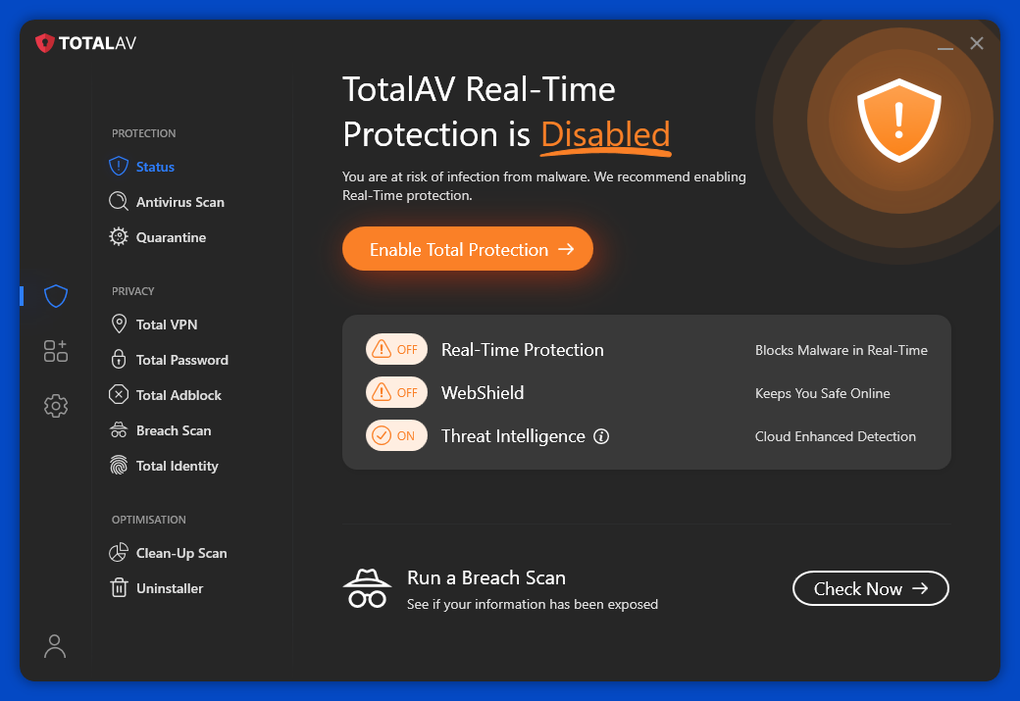
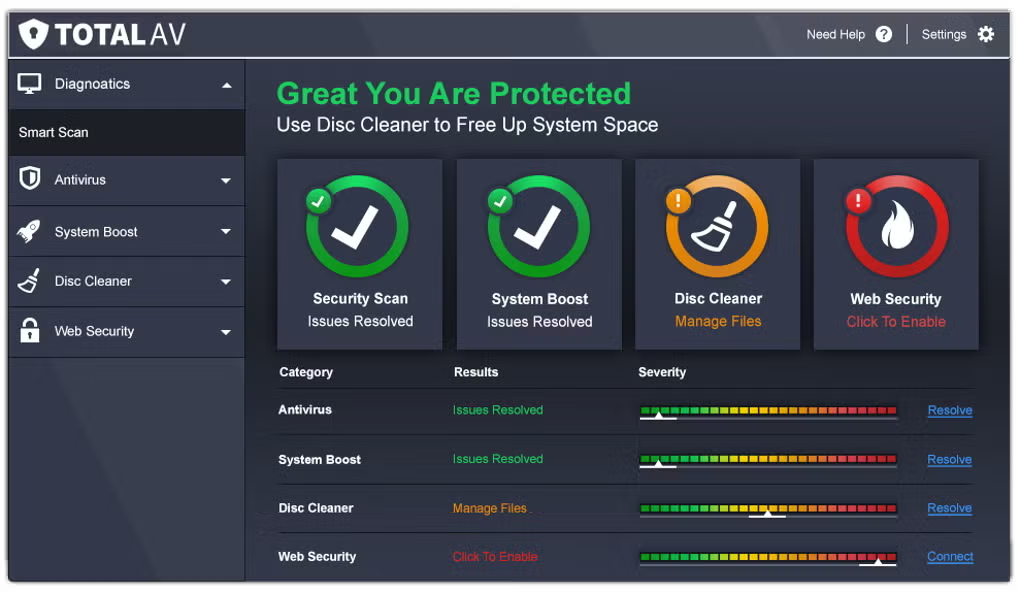
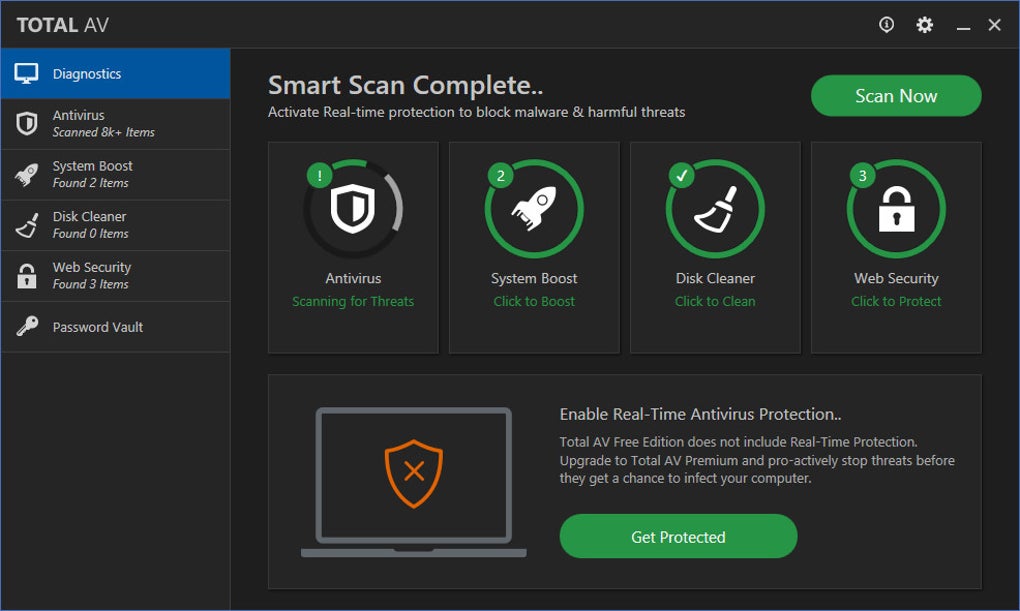
Once installed, the main dashboard appears as a clean, tile‑based layout. The top‑most tile displays the current protection status (e.g., “Protected – No threats detected”). Directly below, a “Quick Scan” button lets you launch an immediate scan of critical system areas.
The “Full Scan” tile initiates a comprehensive check that can be scheduled for off‑peak hours. A small gear icon in the upper‑right corner opens the Settings menu, where you can adjust real‑time protection sensitivity, enable automatic updates, or configure the performance optimizer. All actions are accompanied by brief tooltips, ensuring that even novice users can navigate without consulting a manual.
Supported operating systems: Windows 10/11 (32‑bit & 64‑bit), macOS 10.13 and later, Android 6.0 and up, iOS 12 and up. The software is regularly updated to stay compatible with the latest OS releases, and the installer checks for system requirements before proceeding.
Pros, Cons & Frequently Asked Questions
Pros
- Affordable price point with a clear value proposition for basic protection.
- Lightweight engine that runs smoothly on older or low‑spec hardware.
- Intuitive user interface suitable for non‑technical users.
- Automatic daily updates keep virus definitions current.
- Built‑in junk‑file cleaner adds a modest performance boost.
Cons
- Lacks advanced features such as VPN, password manager, and identity theft protection.
- Detection rates are solid but slightly lower than top‑tier competitors in some independent tests.
- No multi‑device licensing in the Essential tier; each device requires a separate purchase.
- Customer support is limited to email and ticket‑based systems, with longer response times during peak periods.
FAQ – Quick Answers to Common Queries
Is there a free trial available for TotalAV Essential Antivirus?
Yes, TotalAV offers a 7‑day free trial that provides full access to the Essential features, allowing you to test real‑time protection and the scanner before committing to a subscription.
How often does the software receive definition updates?
Definitions are refreshed daily, and the application automatically downloads the latest signatures as soon as an internet connection is detected.
Can I use TotalAV Essential on multiple devices with one license?
The Essential plan is sold per device. If you need protection for several computers or mobile devices, you’ll have to purchase separate licenses or consider upgrading to a family plan.
Will the antivirus slow down my gaming sessions?
TotalAV Essential is designed to be lightweight. In gaming mode, real‑time scanning can be temporarily paused, preventing any noticeable lag while still protecting background processes.
How does the performance optimizer differ from the antivirus engine?
The optimizer focuses on removing temporary files, clearing cache, and fixing minor registry issues. It runs as a separate module and does not interfere with the core scanning engine, allowing you to clean up your system without compromising protection.
Conclusion – Is TotalAV Essential Antivirus Right for You?
TotalAV Essential Antivirus delivers on its promise of affordable, easy‑to‑use security for everyday users. Its real‑time shield, daily updates, and straightforward dashboard make it a solid choice for those who want reliable protection without paying for premium extras. While power users may miss features like a built‑in VPN or advanced identity theft safeguards, the Essential tier shines on older PCs, budget laptops, and single‑device setups where system resources are at a premium.
If you prioritize a clean interface, low impact on performance, and a price that won’t break the bank, give TotalAV Essential a try—especially during the free‑trial period to see how it fits your workflow. For comprehensive, multi‑device families seeking an all‑in‑one suite, exploring the higher‑tier TotalAV plans or a competitor’s full‑feature offering might be worthwhile. In short, TotalAV Essential Antivirus is a dependable, cost‑effective guard against common threats, and it deserves a spot in any basic security toolbox.
Download TotalAV Essential Antivirus now and secure your device with a trusted, lightweight solution.







